Search This Blog

Thursday, 21 April 2011

Test COG-135: IBM Cognos 8 BI OLAP Developer

Hi Friends,

Here you can read sample questions for COG-135: IBM Cognos 8 BI OLAP Developer cert exam.
You can find all the info about this exam here.


QUESTION: 1
A user wants to drill-through from a PowerCube to a relational data source. What gets passed to allow drill through on the source PowerCube?


A. Short name
B. Member Unique Name
C. Category label
D. Source value
Answer: D

QUESTION: 2
When can Transformer category codes change?

A. When a new cube is defined.
B. When the cube is accessed through Cognos 8.
C. When the cube connection is updated with pcconn.
D. When a Clean House is performed before a cube is rebuilt.
Answer: D
QUESTION: 3 For performance reasons, what is the best parent-child ratio for categories in each level?

A. 1:10 or less
B. 1:11 or more
C. 5:1 or less
D. 3:1 or more
Answer: A
QUESTION: 4 Transformer is unable to locate one of the source files for a data source in the model, and the model update fails. Which type of files can be used to restart the processing at the point of failure?

A. .py?
B. .qy?
C. .mdl
D. .mdx
Answer: B
I will add more questions, as and when find them...

Tuesday, 8 March 2011

Test COG-132: IBM Cognos 8 BI Metadata Model Developer

Hi Friends,

I am going to start a series of posts listing sample IBM Cognos certification questions.

You can find all the info about this exam here.

1. Which of the following data structures typically contain normalized data?
A. Cube
B. Flat file
C. Operational
D. Star schema
Answer: C

2. What does a star schema database structure typically consist of?
A. De-normalized hierarchy of dimension tables and fact tables.
B. Normalized dimension tables and detailed fact tables.
C. Normalized dimension tables and summarized fact tables.
D. De-normalized dimension tables and fact tables.
Answer: D

3. Which of the following is true of an OLAP data structure?
A. Comprised of normalized dimension and fact tables.
B. Organizes dimension tables into hierarchies and levels.
C. Allows "real time" analysis against disparate data sources.
D. Cardinality between tables is typically configured as inner joins.
Answer: B

4. In Cognos 8, what are the two distinct model types authors can work with?
A. OLAP and DMR
B. Dimensional and DMR
C. Relational and SAP BW
D. Relational and Dimensional
Answer: D

5.Which of the following objects in the Framework Manager environment acts as a container and provides a unique name for objects?
A. model
B. query item
C. namespace
D. query subject
Answer: C

6. What question should a data modeler answer before accepting this proposed operational data structure?
A. Should all three tables be consolidated into one?
B. Should the cardinalities between the tables be reversed?
C. Are Branch and Employee dimension tables or fact tables?
D. Is there a direct relationship between Branch and Employee?
Answer: D

7. Which of the following objects in the Framework Manager environment acts as a container and provides a unique name for objects?
A. model
B. query item
C. namespace
D. query subject
Answer: C

8. Which of the following is true regarding the operational data structure illustrated below?
A. It illustrates a parallel relationship.
B. It should be consolidated into one table.
C. It should be examined for a connection trap.
D. The cardinality between the tables should be reversed.
Answer: C

9. In a transitive relationship scenario, what problems exist when reporting from the tables below?
A. The Order table must be included in each query.
B. The Order Detail table has conflicting cardinalities.
C. Outer joins are generated when querying from Customer.
D. There is more than one possible path between the tables.
Answer: D

10. A recursive relationship exists between SALES_STAFF_CODE and MANAGER_CODE in the SALES_STAFF data source query subject. This query subject is provided in a model to report authors. Using this query subject alone, report authors cannot create a report that includes management staff and the sales staff that report to them. How can the existing recursive
relationship in the model be modified to provide this ability to report authors?
A. Import a query subject that does not contain a recursive relationship.
B. Create a star schema grouping that contains the SALES_STAFF data source query subject and a shortcut to the SALES_STAFF data source query subject.
C. Create a model query subject with the appropriate relationship to the existing SALES_STAFF data source query subject and make both available to report authors.
D. Create a shortcut to the SALES_STAFF data source query subject, and report authors will use it instead of the underlying query subject to create the required report.
Answer: C

11. Which of the following are proven practices for organizing the objects in a project?
A. When importing metadata from more than one data source, include all imported objects in the root namespace.
B. When importing metadata from more than one data source, create a separate folder for the imported objects from each data source.
C. When importing metadata from more than one data source, create a separate namespace for the imported objects from each data source.
D. When importing metadata from more than one data source, do not override the relationships defined between the data sources at the time of import.
Answer: C

12. When a modeler imports metadata into Framework Manager, the Usage property for a nonindexed, numeric query item is set to which of the following?
A. Fact
B. Attribute
C. Identifier
D. Unknown
Answer: A

I will add more questions, as and when find them...

Friday, 7 January 2011

How to install IBM Cognos 8 on WinXP Prof

Dear All,

I have listed out the URLs in sequence to follow to install IBM Cognos 8.
On a Windows XP Prof PC,
1. Install MS SQL Server 2000: http://install-cognos.blogspot.in/2008/09/installation-procedure-of-microsoft-sql.html


2. Upgrage MS SQL Server 2000 to SP4: http://install-cognos.blogspot.com/2008/11/installation-procedure-of-microsoft-sql.html

3. Install IBM Cognos 8 BI Server: http://install-cognos.blogspot.com/2008/10/installation-procedure-of-cognos-8-bi.html

4. Install IBM Cognos 8 BI Modeling: http://install-cognos.blogspot.com/2008/11/installation-procedure-of-cognos-8-bi.html

5. Configure IBM Cognos 8 with MS SQL Server as Content Store: http://install-cognos.blogspot.com/2008/10/configure-cognos-8-bi-suite-with.html

6. Import Cognos 8 Sample DBs into MS SQL Server 2000 SP4: http://install-cognos.blogspot.com/2010/01/how-to-import-ibm-cognos-8-bi-sample.html

Hoping that this is useful.
-- Sandeep P

Sunday, 3 October 2010

Installation Procedure of Microsoft SQL Server 2000 Developer Edition

Hi,

Here is how we can install MS SQL Server 2000.

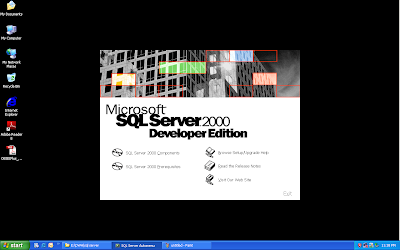
In the initial screen, select SQL Server 2000 Components.


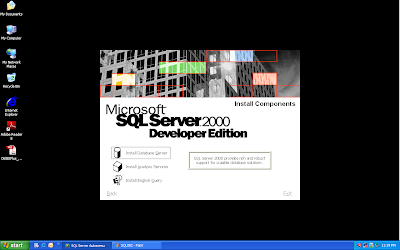
Click on Install Database Server.


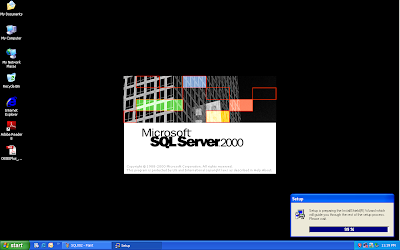
The installation begins.


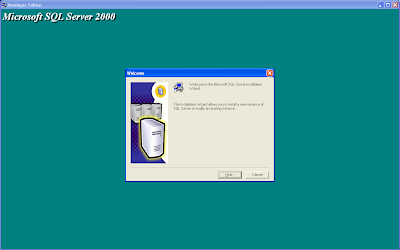
Click Next here.


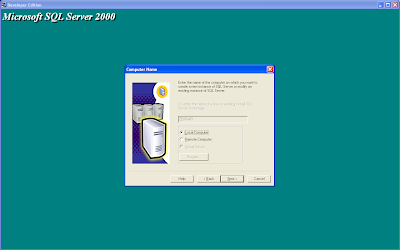
Select Local Computer on which you want to create the SQL Server instance.


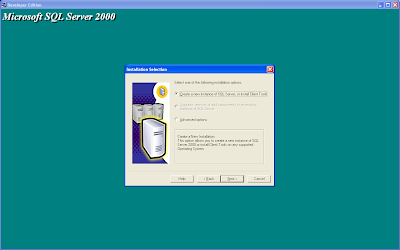
Create a new instance of SQL Server 2000.


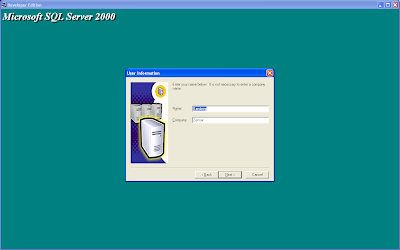
Enter Name and Company Name.


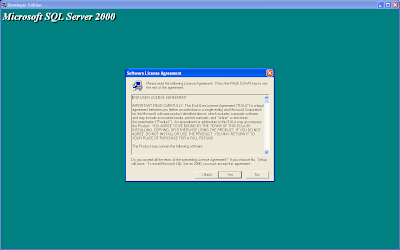
Accept the EULA.


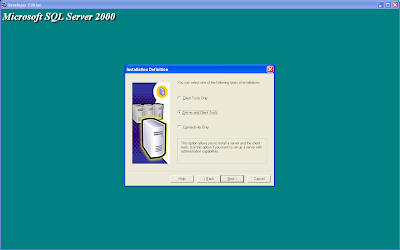
Select the Server and Client Tools.


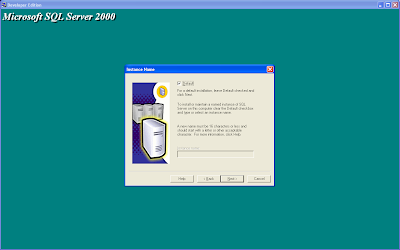
Go with the Default checkbox checked.


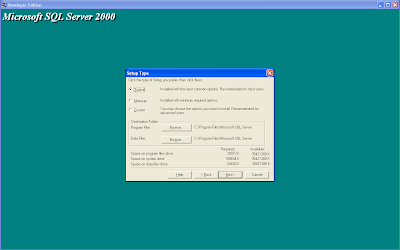
Select the Typical installation.


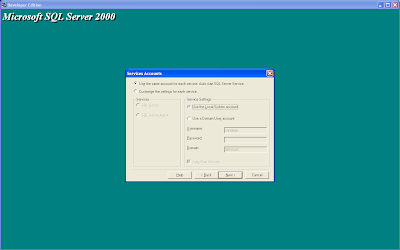
Options on which account to use for the Service.

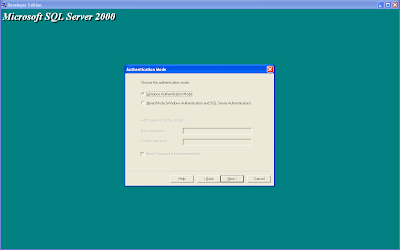
Choose the Authentication Mode.

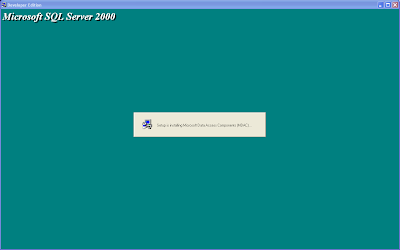
Now the files will be copied. MDAC in installed first.

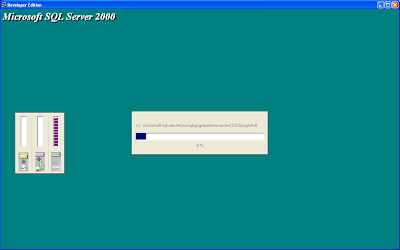
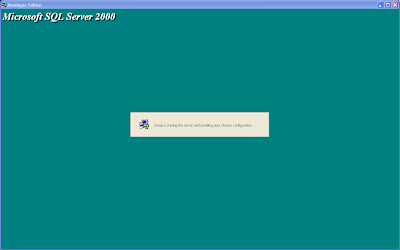
The installation starts...


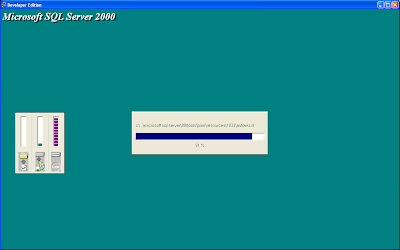
Continues...


The MS SQL Server service is started.

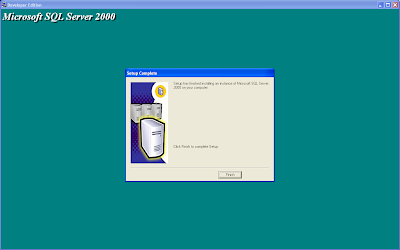
Installation is Completed.

Start by going to Start -> Programs -> Microsoft SQL Server 2000 -> Enterprise Manager.

Email me here: Sandeep.Pamarati@gmail.com

Create a User (Schema) in Oracle 9i

Today, we shall see how to create a user or schema in Oracle 9i.


Open the Enterprise Manager Console from Start -> Programs -> Oracle - Orahome90 -> Enterprise Manager Console.


The default option is Launch Standalone. Just click OK.
Type in the username (System) and password (manager). Select SYSDBA as the option for Connect as. Click OK.
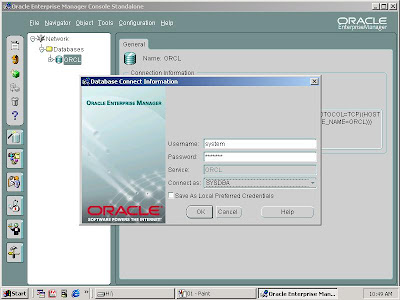
Navigate to Network -> Databases -> ORCL -> Security -> Users.
Right-click on Users and Click on Create option.


Create User window is displayed.
In General tab, for Name, give the name of the User-to-be-created. Leave the authenication as it is.
Enter a password and confirm it again.

Under Role tab, add Connect, DBA and Resource roles and click on Admin option for each role.


Under System Previleges tab, select Unlimited Tablespace option. Check the Admin option too.


Once all this is dome, click on Create button.


Click on OK button to close the popup.


Thats it. A User (Schema) is created in Oracle.

Alternate approach:
The same can be achieved by using SQL commands @ the SQL prompt.

Create user IPC_REPO identified by ipc_repo;
Grant Connect, DBA, Resource to IPC_REPO with admin option;

The Result is the same.

Email me here: Sandeep.Pamarati@gmail.com

Installation Procedure of Oracle 9i

Here, let us see how to install Oracle 9i. It comes with 3 CDs.

This process will be assisted by a few images that give a more clear picture.

First, insert the Oracle 9i CD-1 into the CD/DVD drive.

It should automatically starts and displays the initial screen


The next screen looks like this...


See that the Oracle Home name is given.

Try installing the Oracle 9i on a separate drive(partition). In case of a failure in Oracle 9i installation, you can format the drive and go ahead with a fresh installation.


Choose the Database to install.


Select the Enterprise Edition option.


Choose the database type needed.

You could choose either General Purpose or Data Warehousing.


Provide a Global Database Name. The same is for SID (Oracle System Identifier).

You can give something like ORCL or ORACLE.

This is also called as Host String, Connect String.


Just select the default location for directory for database files.


Choose a Database Character set. Selecting Unicode would be perfect for almost all purposes.


Here is the summary of what is about the get installed.

216 products get installed, by default.


Installation starts...


@ around 44%, you will be prompted to insert the CD-2.

You just need to select the stage folder in the CD.


Asking for the CD-3...

Even here, select the stage folder.


Once the 100% is up, the installation of 4 configuration tools. This is optional. The screen shot shows this.


Database creation starts here.


Creating the Oracle instance here


Almost finished...


Now we are done with the installation.

Just make a note of the user names & passwords.


Installation of configuration tools is also done.


The END!!!


Restart your computer and Try connecting to the Scott/Tiger User(Schema) using SQL* Plus.

Correct me, if i went wrong somewhere.
Email me here: Sandeep.Pamarati@gmail.com
 

Saturday, 2 October 2010

How to install...

Hi all,

This is a starting point where you can get to know (hopefully!) what is there in the title.

I will try to put the entire process of installation for all softwares (small & BIG)!

Contributions [i mean, installation processes ;-)] are Welcome!

Mail me: sandeep.pamarati@gmail.com